 Racespot
On race day you really want to know three things. Where is my runner right now? What time will they pass the spot where I’m standing? And are they doing okay? The official race app, Strava, Garmin, a phone sharing its location and Racespot each answer part of that. Below you’ll see what each one does and doesn’t give you. Ours included, limitations and all.
The short answer
For the official time there is only one source: the chip in the bib, so the race’s own app or website. For everything in between, like where your runner is exactly and when they’ll reach you, you need a live track. Most supporters end up using two things side by side.
In one table
| Live on the map | Official time | When they reach you | Cheering | Who can watch | What the runner needs | |
|---|---|---|---|---|---|---|
| Official race app | Estimated between mats | Yes | Roughly | No | Anyone | Just the bib |
| Strava Beacon | Yes | No | No | No | 3 people | Strava on their phone |
| Garmin LiveTrack | Yes | No | No | No | Anyone with the link | A Garmin watch and phone |
| Sharing location | A single dot | No | No | No | Whoever you pick | Sharing switched on |
| Racespot | Yes, on the course | No | Yes | Yes, in their earbuds | Anyone with the link | Racespot on an iPhone |
A dot on a map tells you where someone is. Not when they'll reach you.
Every live option has one thing in common: the runner’s phone has to come along and have signal.
The official race app
Big races like the Amsterdam, Rotterdam and Eindhoven marathons have their own app or tracking page. Timing mats along the course read the chip in the bib, often every 5 kilometres. Those times end up in the results, so for the time itself this is the source. It also works without the runner carrying anything.
Between two mats the app knows nothing. The dot on the map is an estimate based on the pace so far. If your runner suddenly slows down or stops for a moment, you only find out at the next mat. And plenty of races don’t have an app at all: at many smaller events the results only go online afterwards.
Strava Beacon
Beacon shares your live location with up to three people. They get a link by text message and don’t need Strava themselves. Recording with the Strava app on your phone is free; sending from a connected watch is part of the paid subscription.
Beacon is built for safety: you see where someone is and the track they’ve run. You don’t see a course, the distance to the finish or an expected arrival at your spot. And with three viewers, a big family has to choose.
Garmin LiveTrack
For people running with a Garmin. The watch sends through the Garmin app on the phone, and supporters get a link with the location, pace and more stats, plus the course if the runner loaded one beforehand. The basics are free; extras like an automatic text at the start are part of Garmin’s paid subscription.
It only works with a Garmin watch, and the phone has to come along: it provides the connection.

Sharing your location
Apple’s Find My, Google Maps or a live location in WhatsApp are familiar to most people. Nothing to install, and within a family it’s often already set up. Do check how long the sharing lasts: in WhatsApp you pick a fixed duration, so choose one longer than your race.
What you get is a dot on an ordinary map. No course, no distance and no pace. So you know where your runner is, but not how far they still are from you.
Racespot
This one is ours, so read with that in mind. Racespot is made for the people at the roadside and at home. Supporters open a link, without an app or account, and see the runner on the course, with distance covered, pace and an expected arrival. Anyone who wants to can share their own spot along the route, so the runner knows where they are.
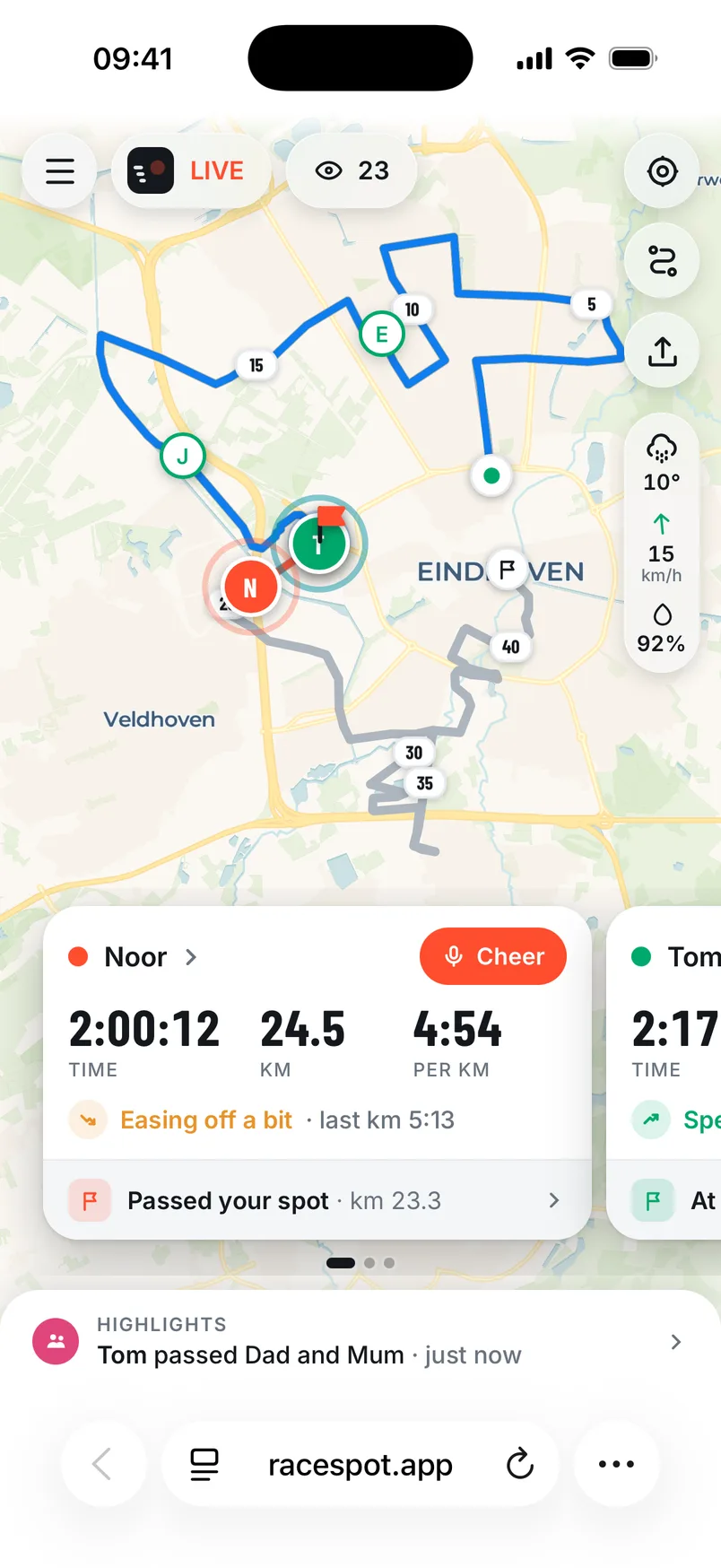
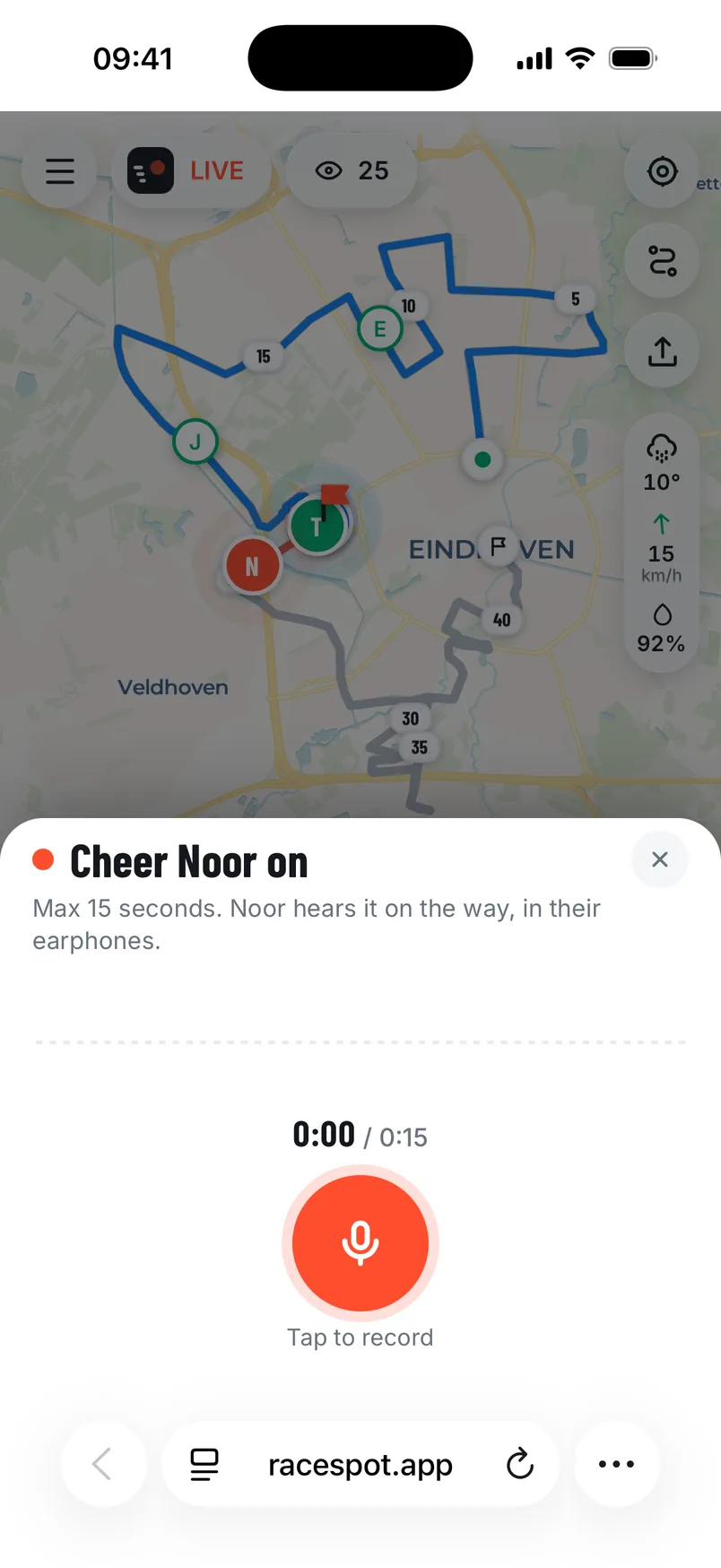
What sets it apart: supporters can record a cheer that the runner hears in their earbuds during the race, straight away or at the kilometre they choose. The music dips for a moment and then carries on. After the race all the cheers are saved with the race, with the text alongside, to listen back to.
For the runner: in the start pen you tap “I’m in the start pen”, and as soon as you start running your time starts by itself. With your phone locked in your pocket, everything keeps going.
The limitations, honestly: Racespot isn’t official timing, so use it alongside the race app. It currently only works on iPhone, not yet on Android. And like every live option it uses battery. Start with a full phone, especially for a marathon.
Which one?
Ask yourself three questions.
- Do you want the official times? Then you need the race app. No GPS app replaces the chip: the results come from the mats.
- Do you want to know when your runner reaches you? Then you need a live track on the course, with an expected arrival. A dot on a map tells you where someone is, not when they’ll be with you.
- Do you want your runner to hear you? That only works with an app that plays cheers in the runner’s earbuds, like Racespot.
Most supporters want two or three of these at once. That’s fine: the official app and a live track don’t get in each other’s way.
What we learned ourselves at the Amsterdam Marathon: in the start pen the mobile network is often overloaded, because thousands of people are on the same mast at once. So set everything up before you enter the start pen, and share the link the evening before.


