 Racespot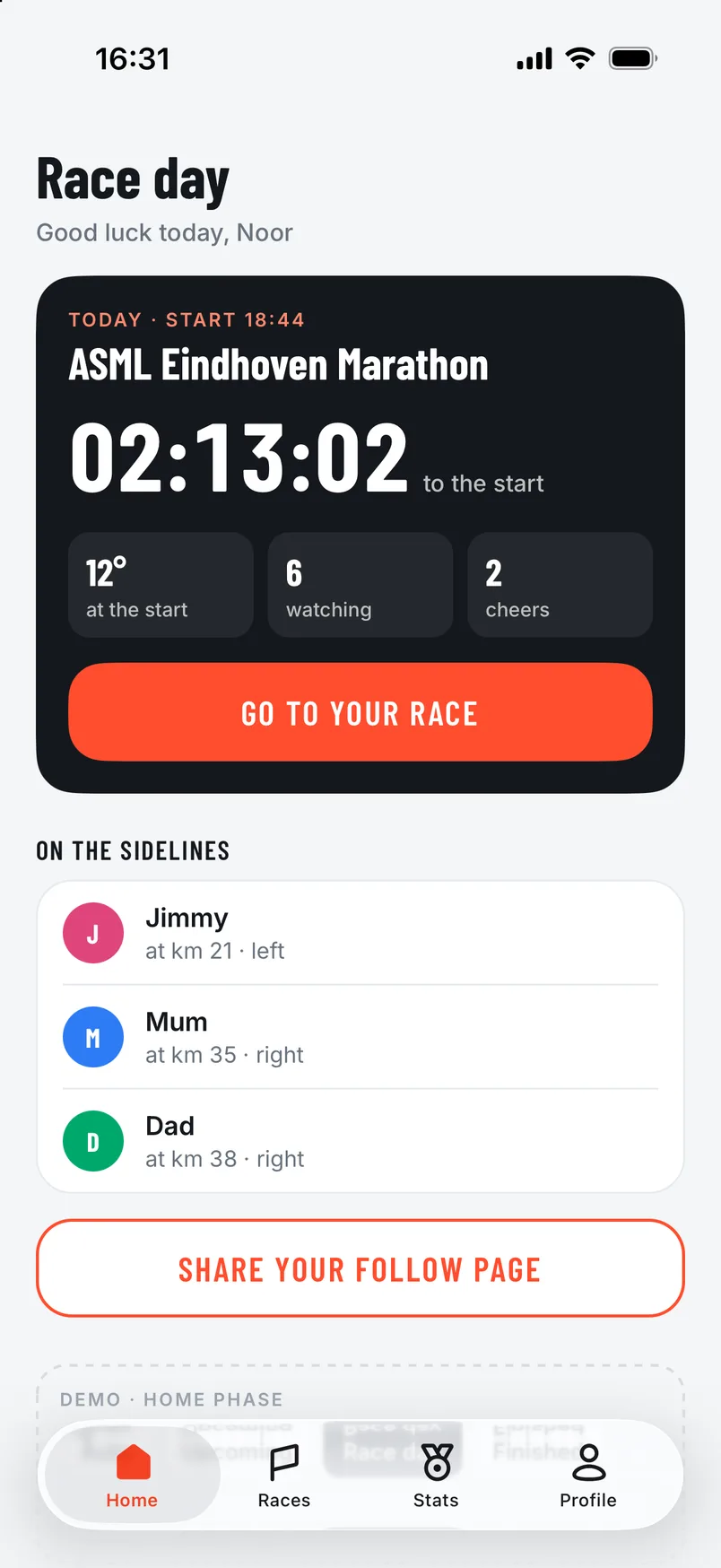
On race day there’s only one thing to remember: in the start pen, tap I’m in my start pen and put your phone away. The app does the rest.
Before you leave
- Charge your phone fully.
- Bring your earbuds, so you hear cheers and announcements along the way.
- Open your race in the app. Your lock screen and the Dynamic Island then show the countdown to the start.
In the start pen
Tap I’m in my start pen and put your phone away. You don’t have to watch for the starting gun: as soon as you cross the start and begin running, your time starts by itself, from the moment you started moving.
Prefer to choose the moment yourself? Tap Start my time now.
One tap in the start pen, phone away, and run.
Along the way
Your phone can stay locked in your pocket or belt. Your supporters see you on the course, with your pace, your distance and when you’ll reach their spot.
If a supporter has shared a spot, you hear in advance that you’re coming up, for example: “In 300 metres Mum is on the right.” So you know which side to look. Your lock screen shows your time, where you are on the course and your expected finish.
Cheers
A cheer is announced first with the name, for example “Cheer from Mum”. Your music dips for a moment and then carries on. So you don’t have to do a thing.
Want some quiet? Tap Turn sound off in your race. Cheers still come in, and you hear them as soon as the sound is back on.
After the finish
Once you’ve crossed the finish and stop running, the app stops by itself a few minutes later, with your arrival at the finish as your time. Want to stop earlier? Tap Stop race.
After that everything is with your race: your time, your kilometre splits, the recap that replays your race, and all the cheers, with the text alongside to listen back to. With your race story you share the result on Instagram.