 Racespot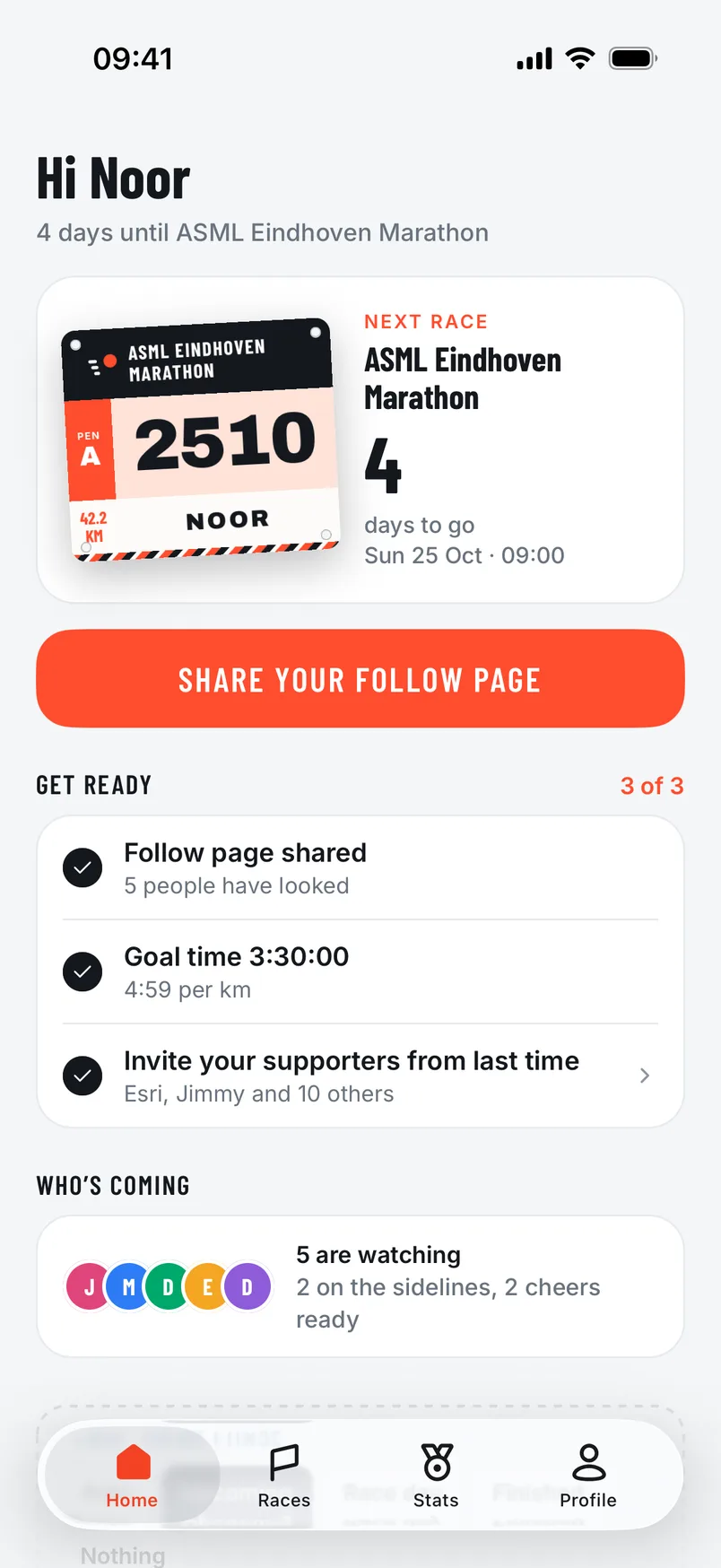
Setting up a race takes a few minutes. After that there’s hardly anything left to do on the day itself: your supporters have your link, and the app knows which route you’re running.
Creating an account
Create an account with your email address and a password. You’ll get an email with a six-digit code; enter it in the app and you’re done. With an account your races, results and cheers are kept safe, also if you get a new phone later.
Choosing your race
Go to Races and choose Discover. Search by the name of the race or by city. Tap a race to see its page, with the course, the distances and the elevation profile, and tap Choose this race.
Then pick your distance. Name, date, distance and course come from the race list, so you always have the current route. Is your race not listed? Tap Request it. We’ll add it to the list and email you as soon as it’s there.
Goal and start time
Enter your goal time. If you’ve run races before, the app suggests a goal time based on your records. That way your supporters see how you’re doing.
Set the start time to the time of your own start pen. At big races not everyone starts at once, and this keeps the times right for your supporters.
Sharing your link
Tap Share your follow page. You choose how to say it (personal, for a group or short), and you can ask your supporters straight away to pick a spot along the route or record a cheer. You can edit the text before you send it.
For Instagram there’s Follow me live: a story with your race on it, where you add the link as a sticker.
Share your link the evening before, so your supporters have plenty of time to pick a spot.
Permissions
The app asks for two things:
- Location. “While Using the App” is enough. Also turn on Precise Location, so your position on the map is as accurate as possible.
- Notifications. So you see who’s following, who shares a spot and when a cheer comes in.
In the week before
In the week before your race the app gives you reminders and tips, and puts the map of the course on your phone in advance. So you have a map even with poor signal in the start pen. With Get ready you can calmly check that everything is set.